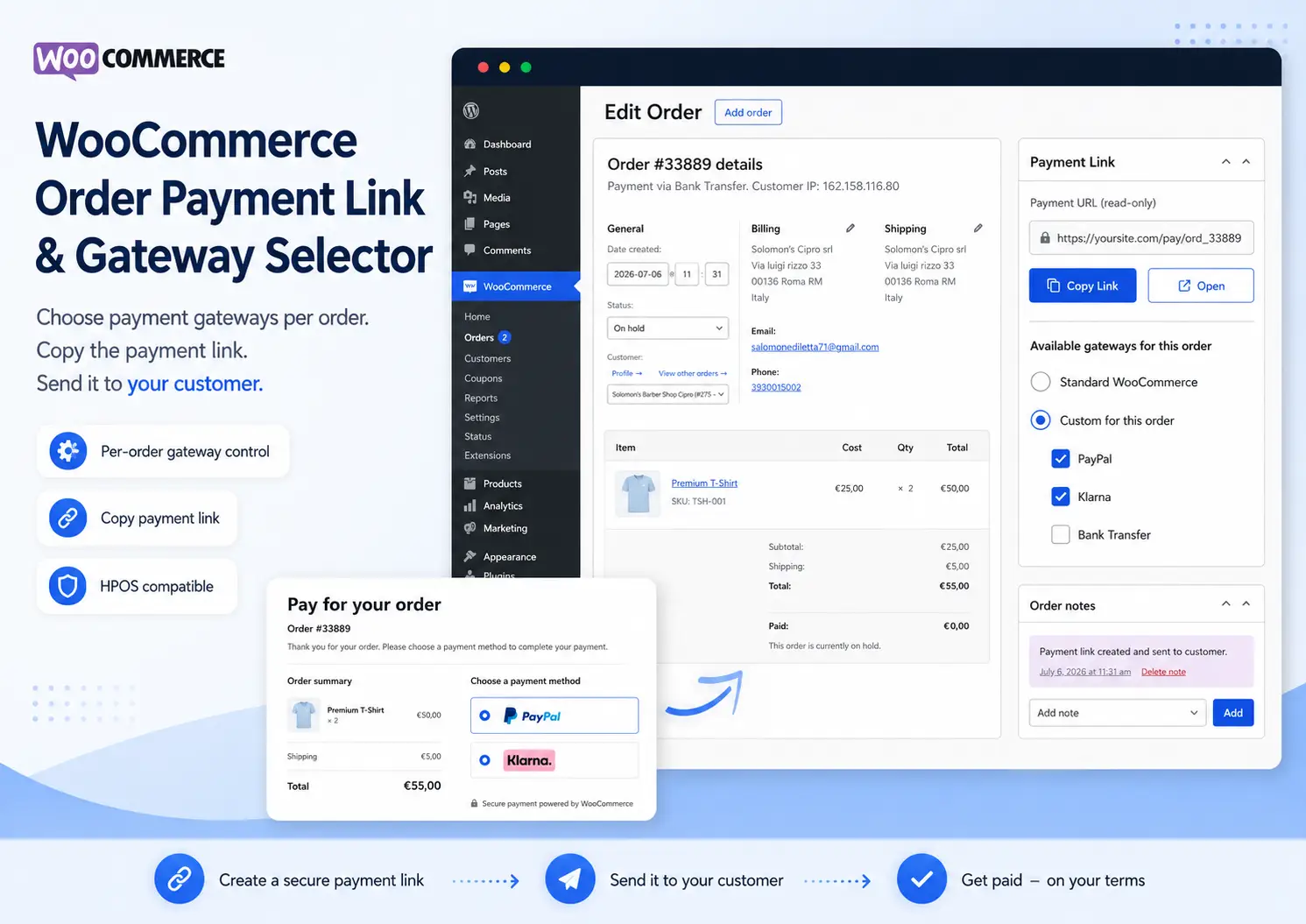
WooCommerce Order Payment Link & Gateway Selector
9.042,29 €
-
Euro (€) - EUR
-
United States dollar ($) - USD
Create manual orders, choose the payment gateways available for each individual order, copy the payment link, and send it directly to your customer.
WooCommerce Order Payment Link & Gateway Selector gives you full control over payment methods for each individual manual order — without affecting your normal checkout.
Price based on the current precious-metal market value.
Based on current Gold spot price: $4,325.20 per troy ounce.
Send WooCommerce Payment Links and Control Payment Gateways for Each Order
WooCommerce Order Payment Link & Gateway Selector lets you create manual WooCommerce orders from the backend, generate a direct payment link, and decide exactly which payment gateways should be available for each individual order.
Create the order, select the payment methods you want to offer, save the order, copy the payment link, and send it to your customer via email, WhatsApp, CRM, or any other communication channel.
The customer opens the link, views the order payment page, and sees only the payment methods you selected for that specific order.
How It Works
- Create or open a WooCommerce order from the WordPress backend.
- Add products, customer details, billing information, and order totals.
- Choose whether to use the standard WooCommerce payment gateway configuration or a custom selection for that specific order.
- Select the payment gateways you want to make available.
- Save the order.
- Copy the automatically generated payment link.
- Send the link to the customer or distributor.
- The customer opens the link and completes the payment using one of the allowed payment methods.
Choose Payment Gateways Per Order
Not every customer or order needs the same payment methods.
With this plugin, you can decide which enabled WooCommerce gateways are available for each individual order.
For example:
- Order A: PayPal only
- Order B: PayPal and Klarna
- Order C: Bank transfer only
- Order D: Standard WooCommerce payment methods
The normal WooCommerce checkout remains unchanged. The gateway selection applies only to the payment link of the specific order.
Direct Payment Link for Manual WooCommerce Orders
WooCommerce already supports dedicated payment URLs for unpaid orders. This plugin makes that functionality easier to use by displaying the payment link directly inside the order administration screen.
You can:
- View the payment link directly from the order page
- Copy it with one click
- Open the payment page immediately for testing
- Send the link manually through any communication channel
Perfect for B2B, Wholesale and Manual Orders
This plugin is particularly useful for businesses that create orders manually on behalf of customers.
Typical use cases include:
- B2B orders
- Wholesale customers
- Distributors
- Sales agents
- Phone orders
- Email orders
- Custom quotations converted into orders
- Orders created manually by administrators
- Orders created after direct negotiation with a customer
Main Features
- Direct WooCommerce payment link for each manual order
- One-click copy button for the order payment URL
- Open payment page directly from the order backend
- Select payment gateways per individual order
- Standard WooCommerce mode to keep the normal gateway configuration
- Custom gateway mode for individual orders
- No impact on the normal WooCommerce checkout
- Compatible with WooCommerce HPOS
- No external service required
- Simple and lightweight interface
Standard or Custom Gateway Selection
For every order, you can choose between two modes:
Standard WooCommerce
The order payment page uses the payment gateways normally available according to your WooCommerce configuration.
Custom for This Order
Select exactly which enabled payment gateways should be displayed for that specific order.
This gives administrators and sales teams complete control without changing the global checkout configuration.
Example Workflow
A distributor contacts your sales team and places an order directly.
Your team creates the order manually in WooCommerce, selects PayPal and Klarna as the only available payment methods, saves the order, copies the payment link, and sends it to the distributor.
The distributor opens the link, sees the order summary, chooses between the allowed payment methods, and completes the payment.
The normal checkout experience for all other customers remains unchanged.
Compatible Payment Gateways
The plugin works by filtering the payment gateways that WooCommerce makes available on the order payment page.
Any enabled payment gateway that already supports the WooCommerce order payment page can potentially be selected and controlled on a per-order basis.
Important: this plugin does not add compatibility to a payment gateway that does not independently support WooCommerce order payment pages. Compatibility may depend on the specific PayPal, Klarna, Stripe, bank transfer, or third-party gateway plugin installed on your website.
Built for WooCommerce Administrators and Sales Teams
No complicated settings page is required.
Everything is managed directly from the WooCommerce order screen, exactly where your team already works.
Create the order, choose the payment methods, save, copy the link, and send it.
Frequently Asked Questions
Can I create a payment link for a manually created WooCommerce order?
Yes. The plugin displays the WooCommerce payment link directly inside the order administration screen, allowing you to copy it and send it to the customer.
Can I choose different payment gateways for each WooCommerce order?
Yes. You can select which enabled payment gateways should be available for each individual order.
Does this affect my normal WooCommerce checkout?
No. The custom gateway selection applies only to the payment page of the specific order. Your normal checkout configuration remains unchanged.
Can I send the payment link by email or WhatsApp?
Yes. The plugin provides a direct payment URL that you can copy and send through email, WhatsApp, CRM software, messaging apps, or any other communication channel.
Is it useful for B2B and wholesale orders?
Yes. It is particularly useful for B2B orders, distributors, wholesale customers, sales representatives, phone orders, and any order created manually from the WooCommerce backend.
Does it work with PayPal, Klarna, or Stripe?
The plugin can filter any enabled payment gateway that is already available on the WooCommerce order payment page.
Actual compatibility depends on the specific PayPal, Klarna, Stripe, or third-party gateway plugin installed on your website.
Is WooCommerce HPOS supported?
Yes. The plugin is designed to support WooCommerce High-Performance Order Storage (HPOS).
You may also like
GG Smart Offers – WooCommerce Upsell & Cross-Sell Plugin with Coupons, Gifts & Loyalty
Increase WooCommerce Revenue with Smart Offers, Coupons, Gifts and Loyalty GG Smart Offers is an all-in-one WooCommerce marketing…
GG WooCommerce Advanced Shipping Plugin
Create advanced WooCommerce shipping rules based on country, weight, cart total, products, user roles and conditional logic. Advanced…
WooCommerce Customer Specific Pricing Plugin
Build advanced B2B pricing rules in WooCommerce without custom code. Create customer-specific prices, role-based price lists, wholesale pricing…