Sale!

WooCommerce Customer Specific Pricing Plugin

Original price was: 109,00 €.Current price is: 79,00 €.

Build advanced B2B pricing rules in WooCommerce without custom code.

Create private price lists for specific customers, user roles, guests and default buyers. Set reserved prices, quantity breaks, category discounts and exclusion rules while keeping every price visible and traceable in cart, checkout and orders.

Ideal for wholesalers, distributors, resellers, sales agents and mixed B2B/B2C stores that need different prices for different customers.

SKU: GG-dynamic-pricing Categories: , ,

WooCommerce Customer Specific Pricing & B2B Price Lists

GG Dynamic Pricing & B2B Price Lists is a WooCommerce customer specific pricing plugin designed for stores that need different prices for different customers, user roles, wholesalers, resellers, agents and B2B buyers.

Standard WooCommerce pricing is perfect for simple online shops, but B2B ecommerce often requires a more advanced pricing structure: private customer agreements, reserved price lists, role-based pricing, quantity discounts, reseller margins, category discounts and exceptions for specific products or customer groups.

With this plugin, you can create dedicated WooCommerce price lists for individual users, user roles, guests and default customers, without duplicating products, creating hidden categories or managing manual coupon workarounds.

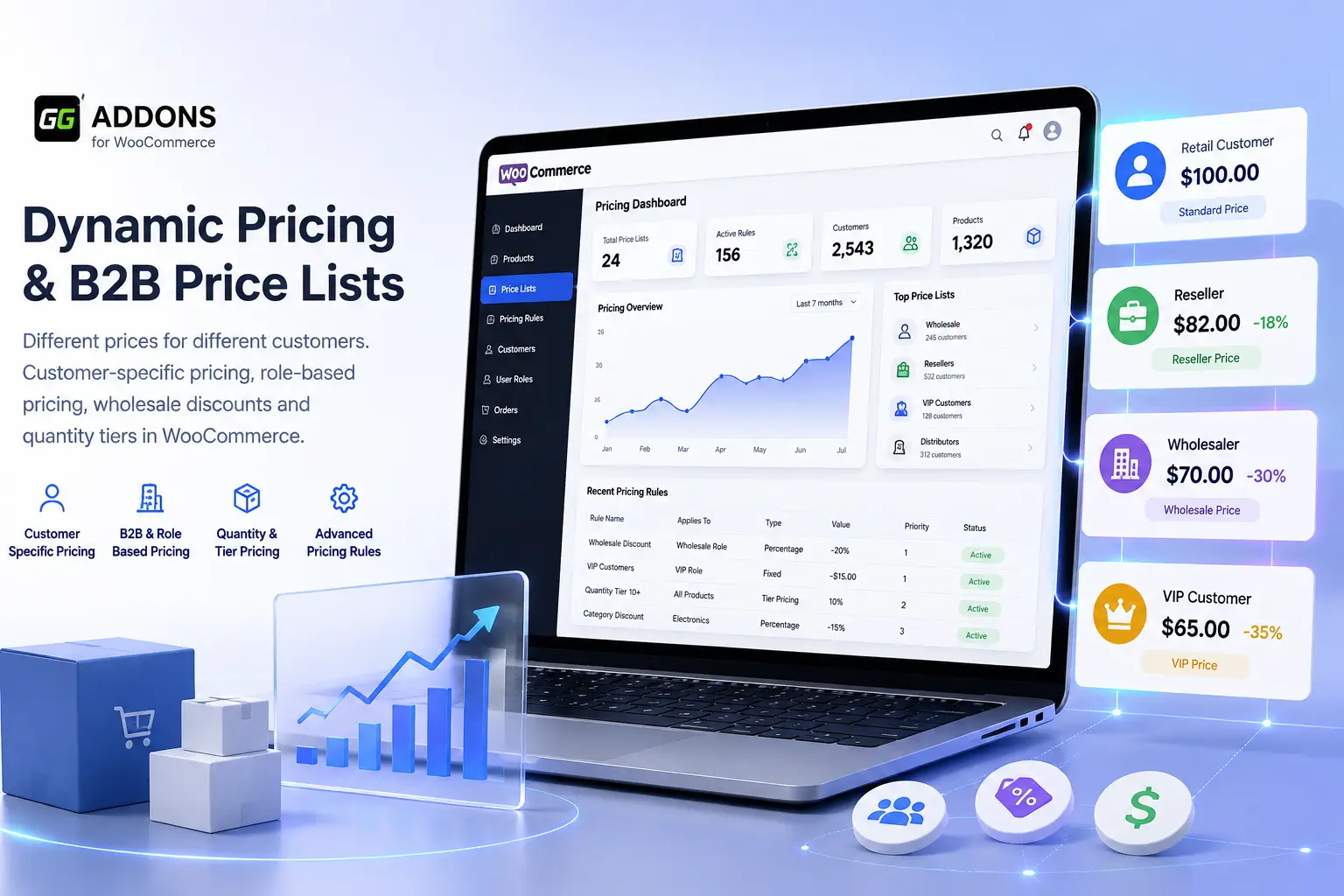
WooCommerce customer specific pricing and B2B price lists dashboard
Create customer-specific price lists, role-based pricing rules and B2B discounts in WooCommerce.

Set Different Prices for Each Customer in WooCommerce

Many WooCommerce stores need to sell the same product at different prices depending on the customer. A public customer may see the standard retail price, while a wholesaler, reseller or selected business buyer may need a reserved price based on a private commercial agreement.

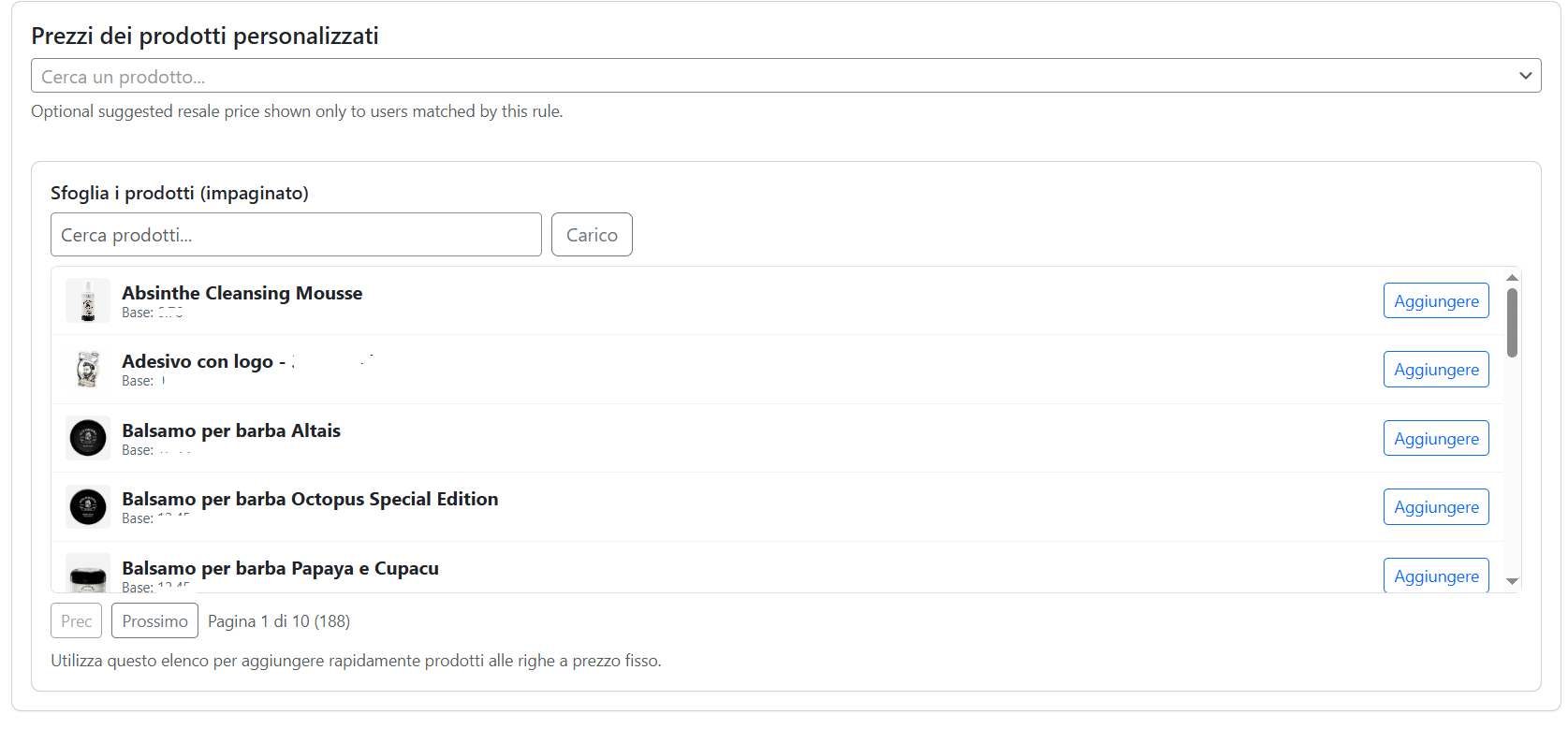
GG Dynamic Pricing & B2B Price Lists lets you assign custom prices to individual WooCommerce users, so each customer can see their own reserved price when logged in. This is useful for B2B stores, wholesale catalogs, distributor networks and hybrid B2C/B2B ecommerce websites.

  • Create reserved prices for selected customers.
  • Assign custom product prices to individual WooCommerce users.
  • Show different prices to different customers on the same product.
  • Display the regular price and the customer-specific price together.
  • Apply customer-specific pricing across product pages, cart, checkout and admin orders.

WooCommerce Role-Based Pricing for B2B Customers

In addition to customer-specific pricing, the plugin also supports role-based pricing. You can create different WooCommerce price lists for user roles such as wholesale customers, resellers, agents, distributors, VIP customers or any custom role used in your store.

This allows you to manage different pricing levels without editing every customer manually. For example, you can create one price list for wholesalers, another one for resellers and another one for agents, while still keeping the option to override prices for specific users.

  • Create price lists by WooCommerce user role.
  • Manage wholesale, reseller, agent and distributor pricing.
  • Combine role-based pricing with customer-specific prices.
  • Use role pricing as a scalable B2B pricing structure.

Main Use Cases

  • WooCommerce customer specific pricing for stores that need different prices for each customer.
  • WooCommerce B2B pricing for wholesalers, distributors and trade customers.
  • WooCommerce role-based pricing for wholesale, reseller, agent or VIP customer groups.
  • WooCommerce price lists for managing multiple pricing levels from one place.
  • WooCommerce wholesale pricing with reserved prices, quantity tiers and discounts.
  • Hybrid B2B/B2C stores selling to both public customers and registered business buyers.

Create Advanced WooCommerce Price Lists

GG Dynamic Pricing & B2B Price Lists gives you a dedicated pricing layer inside WooCommerce. You can create price lists for individual users, user roles, guest customers and default customers, then decide how each rule should apply across your store.

This makes it easier to manage B2B agreements, wholesale discounts, reserved customer prices and reseller conditions without creating duplicate products or relying on manual coupons.

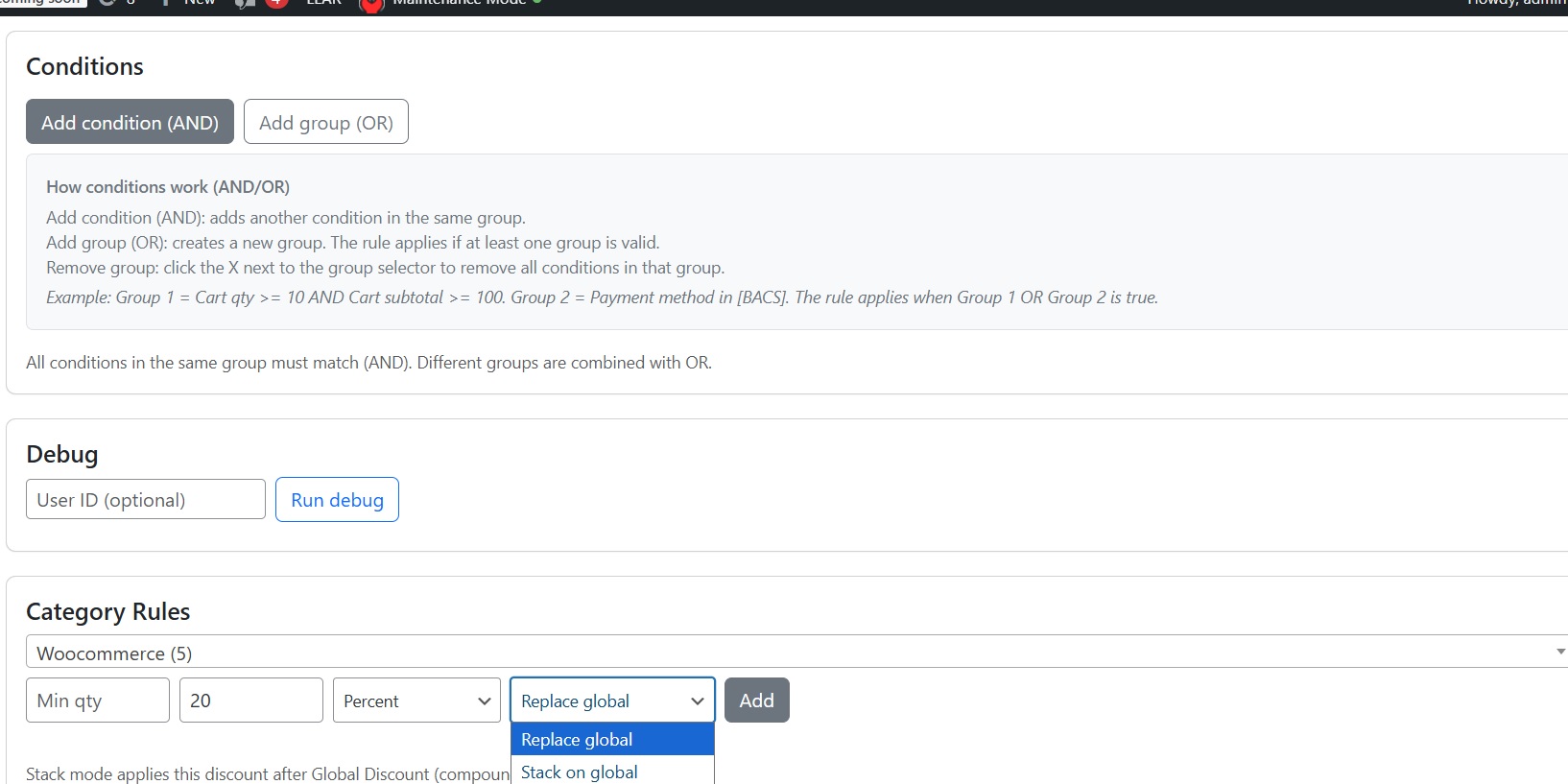
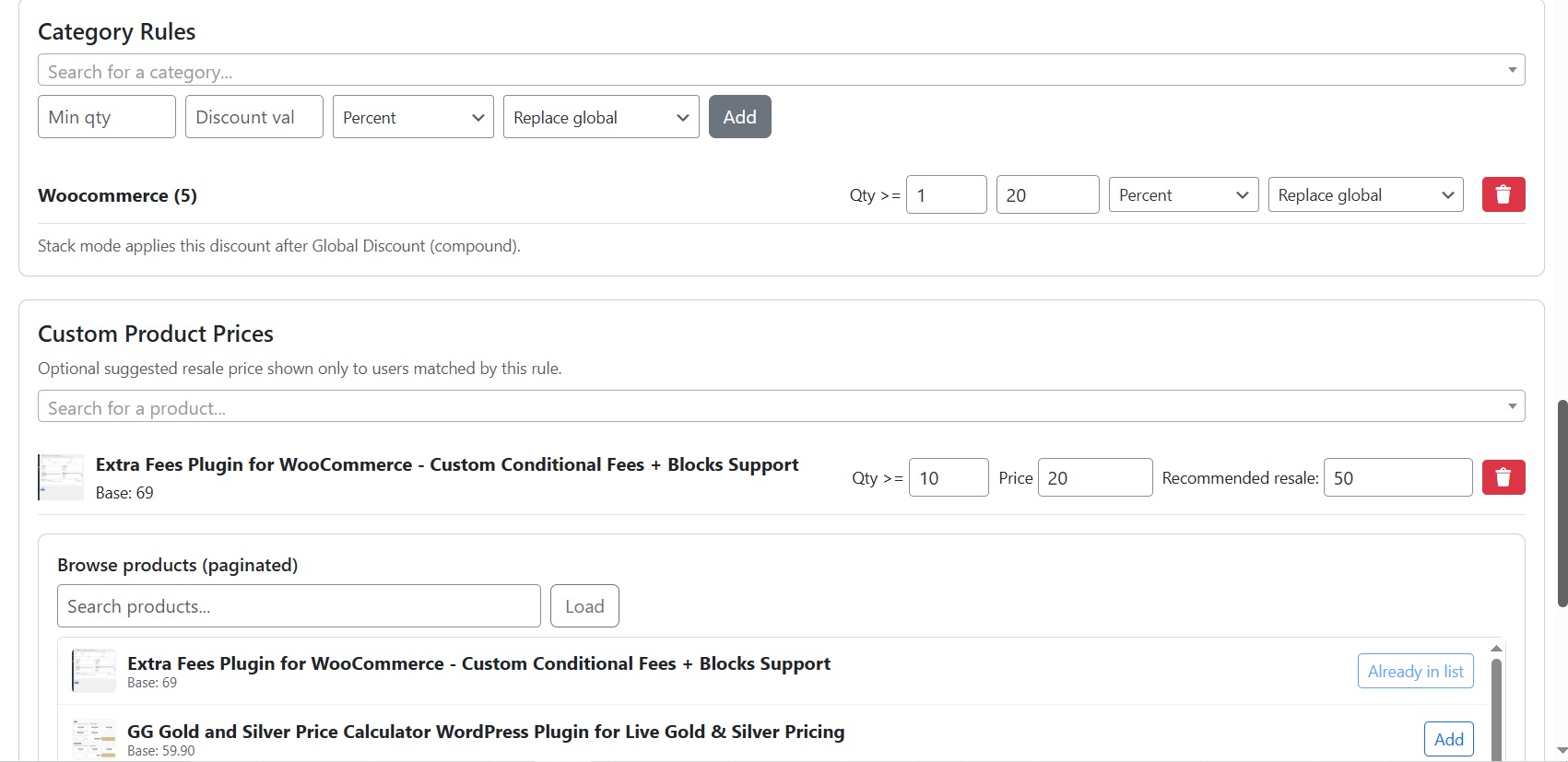
WooCommerce B2B price list rules with category pricing and priority logic
Configure B2B price lists, category rules and pricing priorities in WooCommerce.

What You Can Do

  • Create dedicated price lists for users, roles, guests and default customers.
  • Set customer-specific product prices for selected WooCommerce users.
  • Create role-based price lists for wholesalers, resellers, agents and distributors.
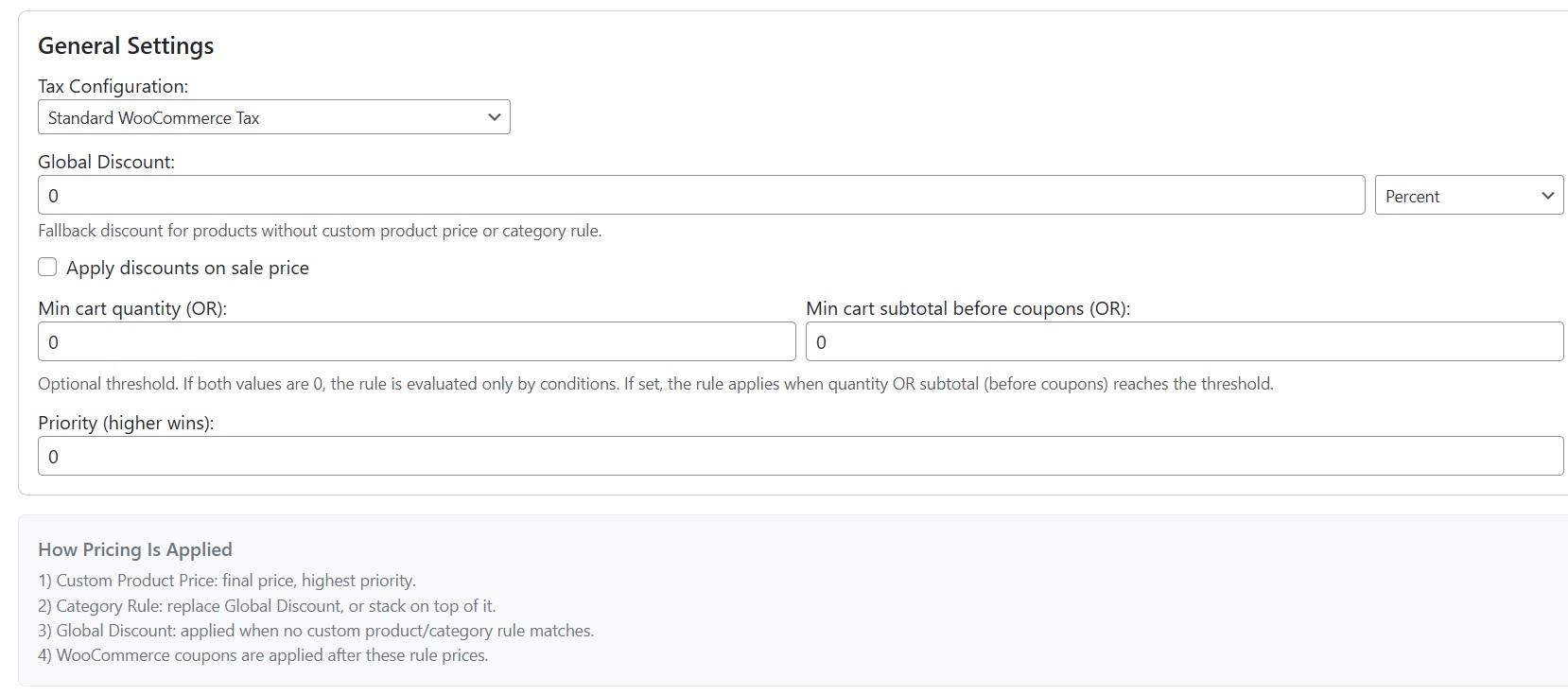
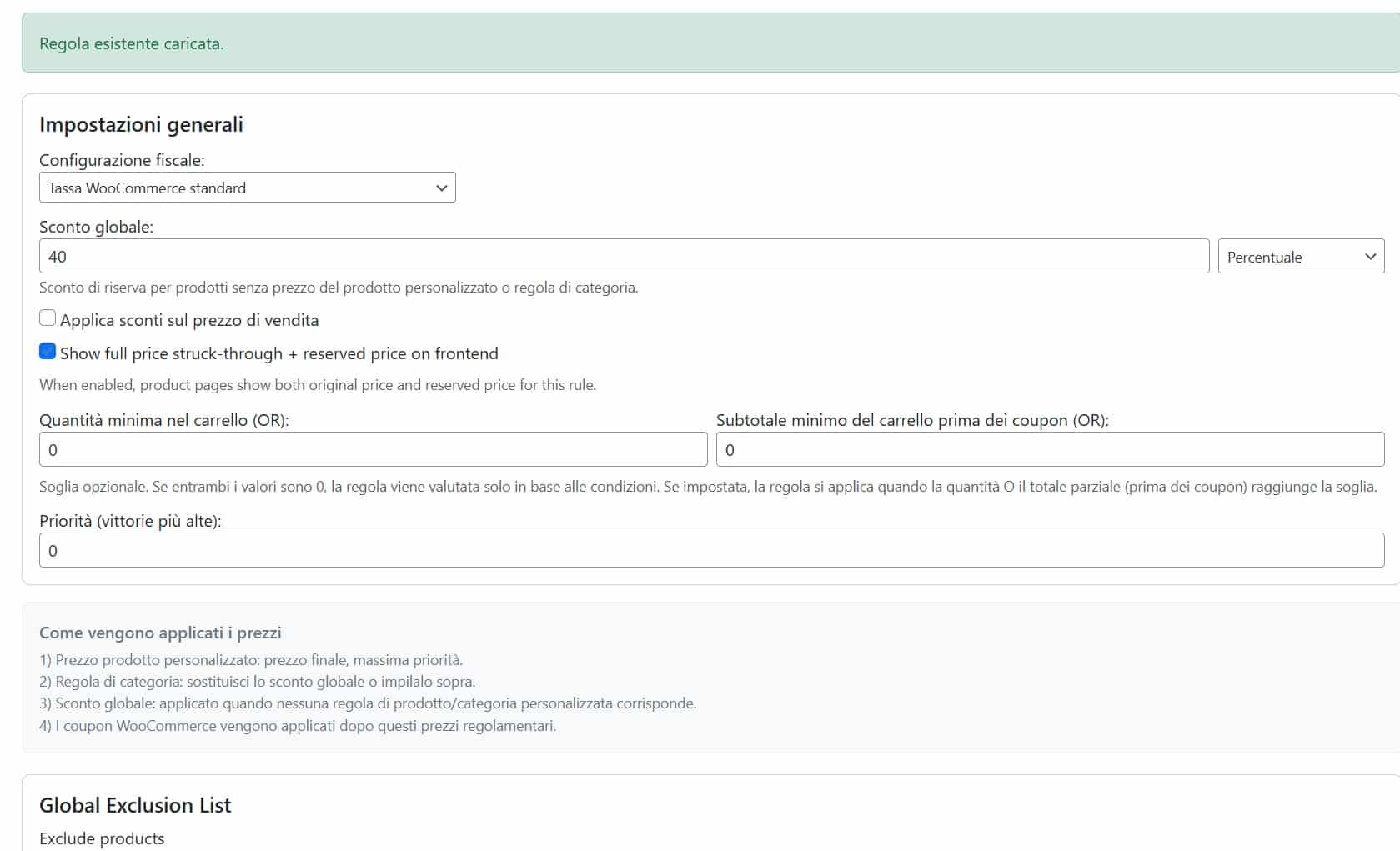
  • Apply global discounts using percentage or fixed amount rules.
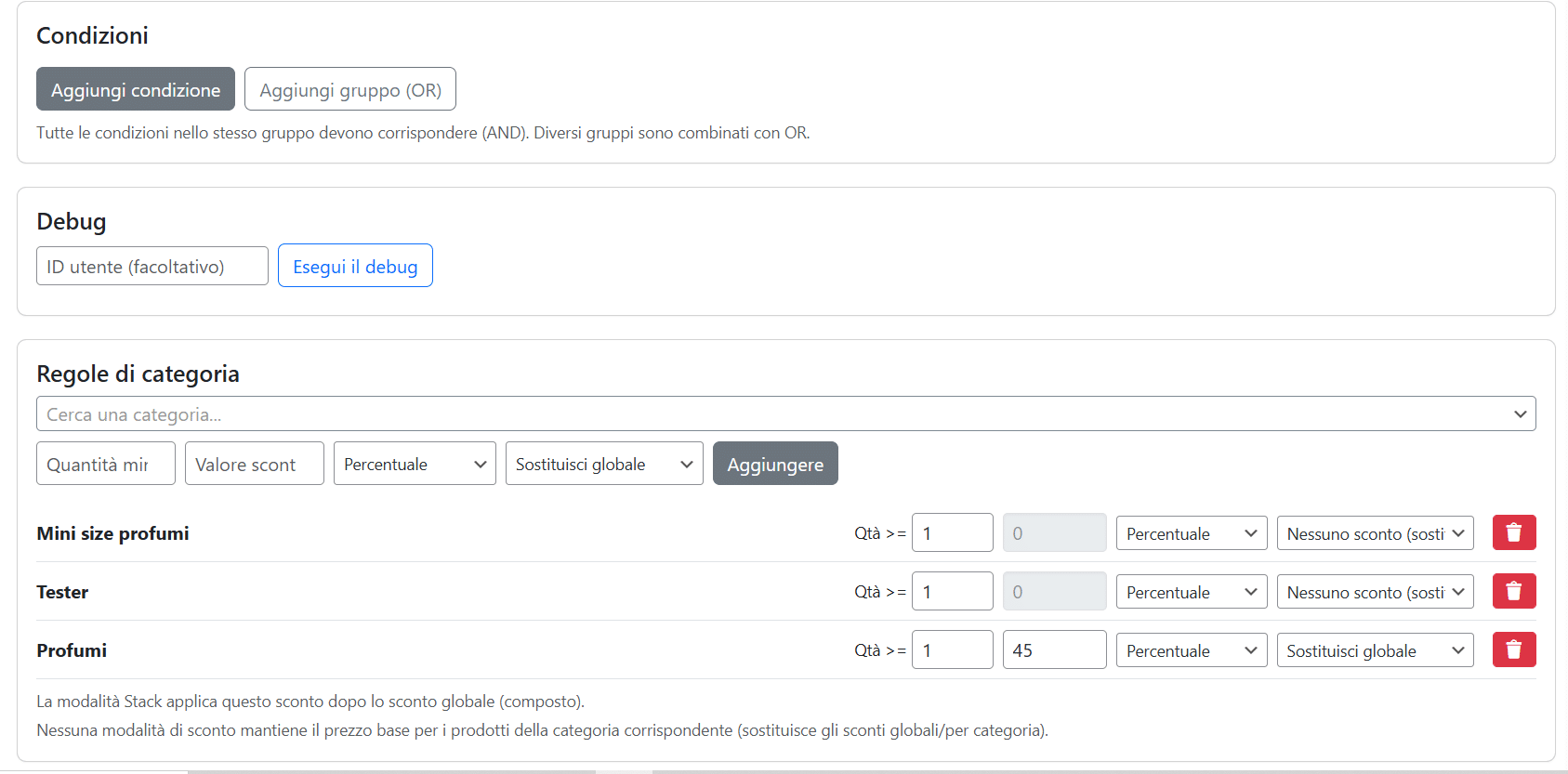
  • Create category discounts with flexible behavior and priority logic.
  • Use minimum quantity rules and tier pricing for B2B or wholesale customers.
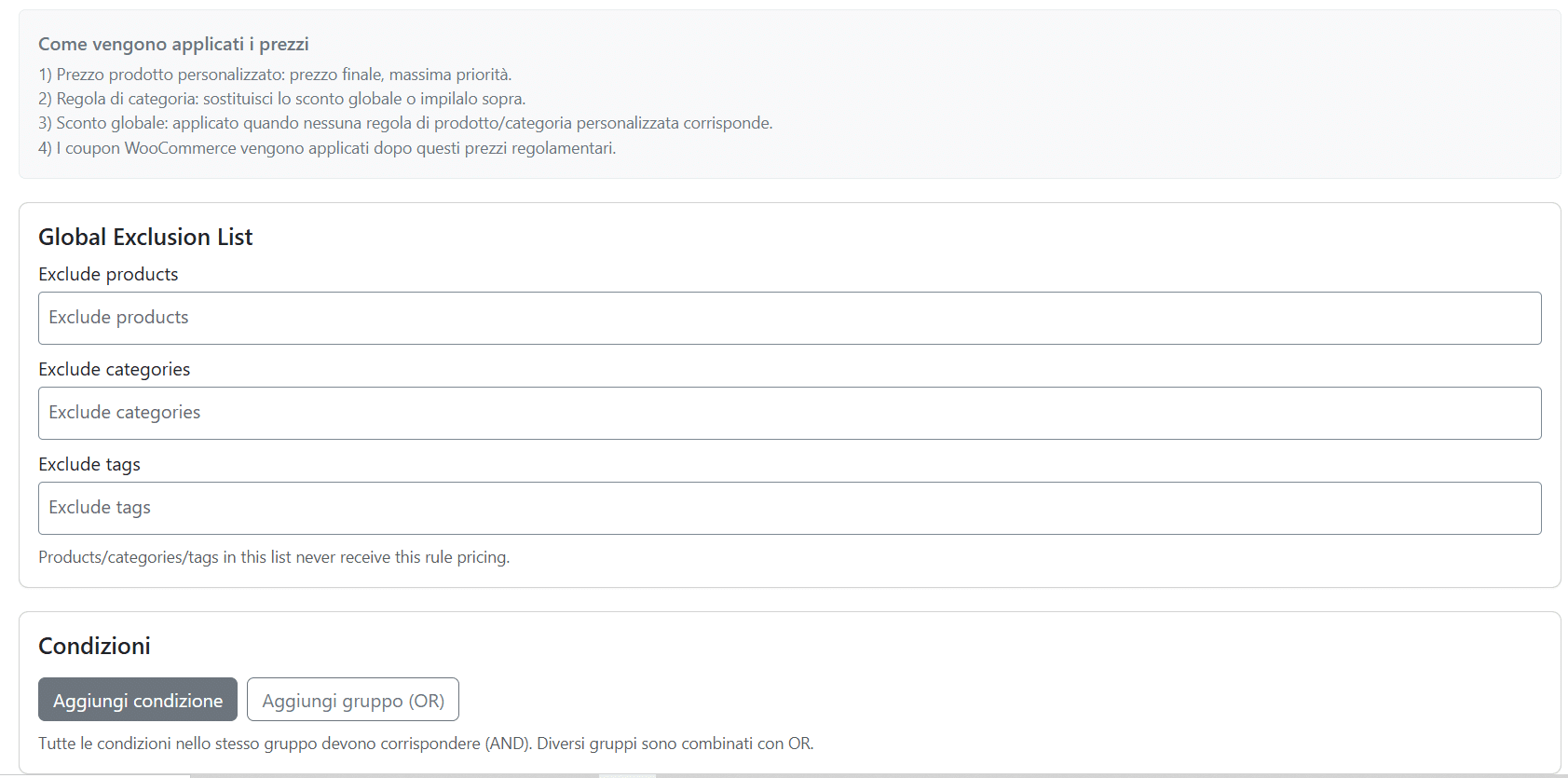
  • Exclude specific products, categories and tags from pricing rules.
  • Show regular price, reserved price, discount and recommended resale price on the frontend.
  • Apply pricing rules to product pages, cart, checkout and WooCommerce admin orders.

Category Discounts, Global Discounts and Priority Logic

The plugin supports both global pricing rules and category-based pricing rules. This gives store owners more control over how discounts are calculated when multiple pricing conditions apply to the same product.

For each category rule, you can decide whether it should replace the global discount, stack on top of the global discount, or override the discount completely.

  • Replace global discount: the category rule replaces the global discount for selected products.
  • Stack on global discount: the category rule is added to the global discount.
  • No discount override: the category rule can prevent discounts from applying to selected categories.

This is useful when your WooCommerce B2B pricing strategy needs exceptions, protected margins, special product categories or different discount behavior across your catalog.

Quantity-Based Pricing and Tier Pricing for WooCommerce B2B

B2B and wholesale customers often buy in larger quantities. With minimum quantity rules and tier pricing, you can offer better prices when customers purchase more units of the same product.

You can use quantity-based pricing together with customer-specific prices, role-based price lists or broader B2B discount rules.

  • Set minimum quantity rules for selected products.
  • Create tier pricing for wholesale and B2B customers.
  • Reward larger orders with better reserved prices.
  • Combine quantity rules with user-based or role-based pricing.

Who This WooCommerce Pricing Plugin Is For

  • Wholesalers who need reserved price lists for different buyer groups.
  • Distributors managing special agreements with selected customers.
  • Resellers who need recommended resale prices and margin visibility.
  • Sales agents creating WooCommerce orders from the admin with customer-specific pricing.
  • Manufacturers selling both direct-to-consumer and business-to-business.
  • Hybrid B2B/B2C stores selling to public customers and registered business buyers.
WooCommerce customer specific pricing showing regular price and reserved B2B price
Display the regular price together with the reserved customer price.

How the WooCommerce Pricing Logic Works

The plugin has been designed to provide predictable pricing behavior, even when multiple pricing rules apply to the same product. Instead of creating conflicts between discounts, each rule follows a clear priority system.

  1. Customer-specific product prices always have the highest priority.
  2. Role-based pricing is applied when no individual customer price exists.
  3. Category rules can replace, stack or override global discounts.
  4. Global pricing rules act as the default pricing layer.
  5. WooCommerce coupons can still be applied afterwards according to your store configuration.
This hierarchy makes the pricing engine flexible enough for both simple B2B stores and complex wholesale ecommerce projects.

Problems Solved

  • No duplicate WooCommerce products for different customer groups.
  • No manual coupon management for wholesalers or resellers.
  • No need to create hidden products or hidden categories.
  • Customer-specific prices remain consistent across products, cart and checkout.
  • Flexible pricing without complicated custom development.
  • Easy management of B2B agreements directly inside WooCommerce.
WooCommerce cart showing customer specific pricing and B2B discounts
Customer-specific prices remain visible throughout the purchasing process.

Transparent Pricing Across the Entire Store

Customers and administrators always see clear pricing information throughout the purchasing process. Depending on your configuration, the plugin can display:

  • Regular price
  • Reserved customer price
  • Applied discount
  • List price
  • Recommended resale price

Pricing rules are applied consistently on product pages, the shopping cart, checkout and orders created from the WooCommerce administration panel.

WooCommerce admin orders using customer specific pricing
Create WooCommerce orders from the backend while automatically applying customer-specific pricing rules.

Frequently Asked Questions

Can I create customer-specific prices in WooCommerce?

Yes. You can assign dedicated prices to individual WooCommerce customers. Each customer can have their own reserved pricing, independent of user roles or global discounts.

Can I create different prices by user role?

Yes. You can create separate price lists for wholesalers, distributors, resellers, agents, VIP customers or any custom WooCommerce role.

Can customer-specific prices override role pricing?

Yes. Individual customer prices have priority over role-based pricing, allowing you to create private commercial agreements for selected buyers.

Can I combine customer pricing with quantity discounts?

Yes. Customer-specific prices, role pricing, tier pricing and quantity discounts can work together according to the plugin's priority rules.

Can I create WooCommerce wholesale price lists?

Absolutely. The plugin is designed for wholesale and B2B stores that need dedicated price lists for different categories of business customers.

Does the plugin work with WooCommerce coupons?

Yes. Pricing rules are calculated first, then WooCommerce coupons can be applied according to your store configuration.

Can I display both the regular price and the reserved price?

Yes. Customers can see the standard retail price together with their own reserved B2B or customer-specific price.

Does customer-specific pricing work in WooCommerce admin orders?

Yes. Pricing rules are also applied when administrators or sales agents create orders directly from the WooCommerce backend.

Main Features

  • Customer-Specific Pricing
    Assign different prices to individual WooCommerce customers.
  • Role-Based Price Lists
    Create dedicated pricing for wholesalers, resellers, distributors and agents.
  • B2B Price Lists
    Manage unlimited pricing structures for business customers.
  • Dynamic Pricing Rules
    Global discounts, category discounts and advanced pricing logic.
  • Quantity & Tier Pricing
    Create minimum quantity rules and wholesale discounts.
  • Advanced Conditions
    Build pricing rules based on cart, coupons, dates, shipping and payment methods.
  • Frontend & Backend Support
    Pricing rules work on product pages, cart, checkout and admin orders.
  • WooCommerce Ready
    Designed for professional B2B, wholesale and hybrid WooCommerce stores.
Top